Managing inventory, processing payments, building a store, handling shipping – it all sounds complicated. But here’s the truth: Shopify removes the complexity. Over a million businesses use it to sell everything from handmade jewelry to dropshipped products. Let’s see if it’s right for you in this Shopify Review for Beginners…
Some of the links on this page are affiliate links, which means I may earn a small commission if you click through and make a purchase – at no extra cost to you. See Affiliate Disclosure Page>>
Start Here > E-commerce and Products > Dropshipping > Print-on-Demand > Amazon FBA > Subscription Box > Promotion > Email Marketing > Social Media Marketing > Resources > Reviews
1. What Is Shopify?
Shopify is your complete online store in one package – it’s a website builder and a platform built specifically for selling. It handles:
- Store design with professional templates
- Payment processing from credit cards to PayPal
- Inventory tracking so you never oversell
- Order management from purchase to delivery
- Shipping with automatic label creation
- Marketing tools to grow your business
Think of it as the difference between buying all your groceries separately versus getting a meal kit with everything included!
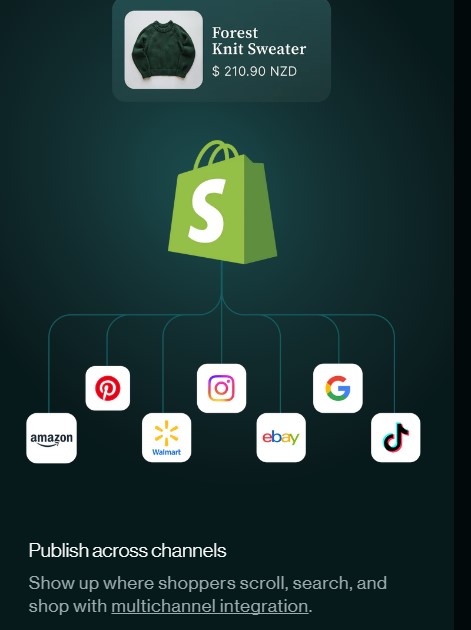
Sell Everywhere from One Dashboard
With Shopify, you can sell on your website and major platforms like Instagram, Facebook, Amazon, Google Shopping, and eBay – all synced automatically to your dashboard. It’s much easier doing it this way, and it gives you many ways to earn.
2. Which Plan Is Right for You?
Shopify offers three main plans to suit different stages of growth:
Budget-friendly: Perfect for getting started. Includes unlimited products, professional checkout, payment processing, and simple analytics.
Mid-range Shopify: For when you’re making regular sales and want better reporting and lower transaction fees.
Advanced (premium pricing): For high-volume, established businesses. Most beginners won’t need this initially.
Start with the Budget-friendly plan and upgrade when your sales justify it. Shopify also offers a free trial, no credit card required, so you can explore risk-free.
3. Can I Set This Up Myself?
Yes, and faster than you’d expect. Most beginners have a working store running in just a few hours.
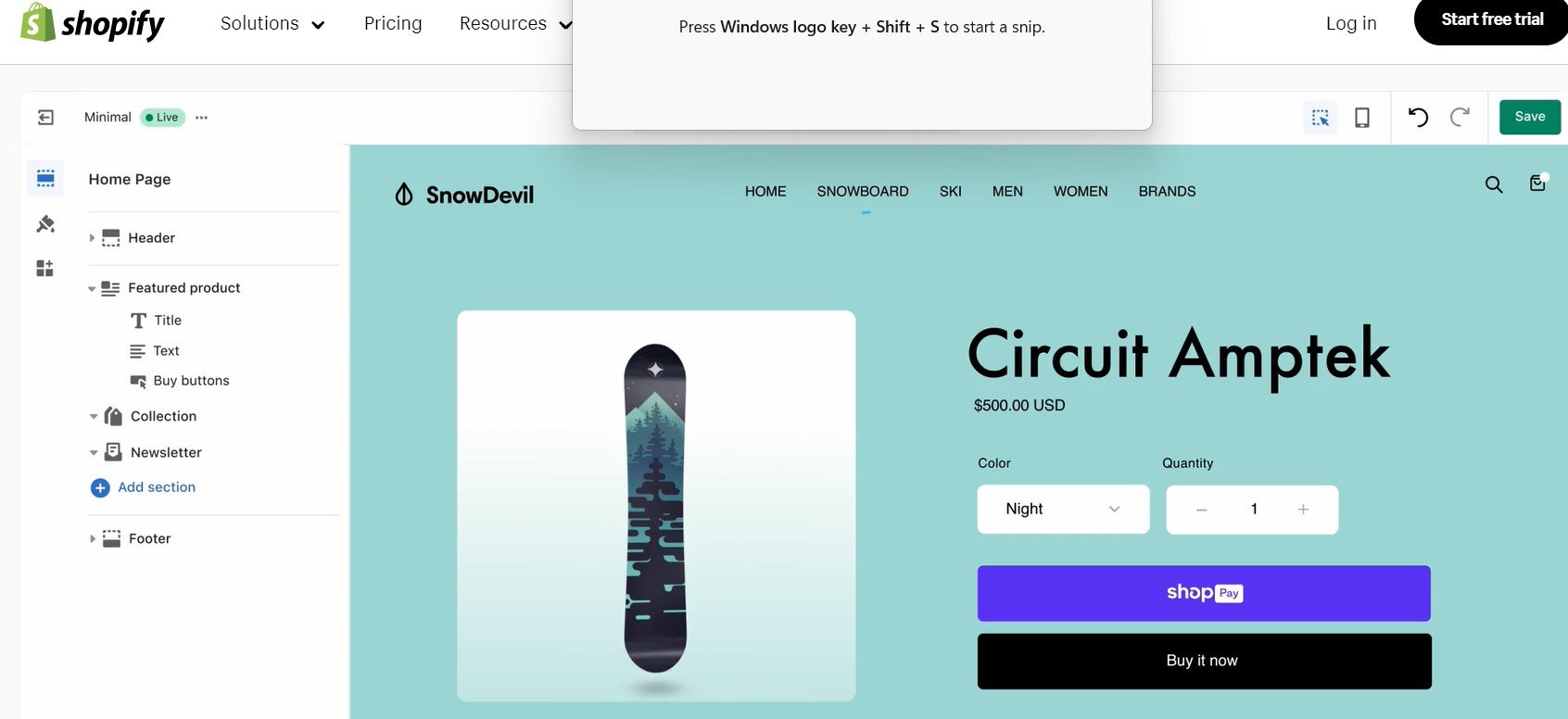
Shopify walks you through: picking a store name, choosing a template, adding products, customizing your look, and setting up payments. No coding required.
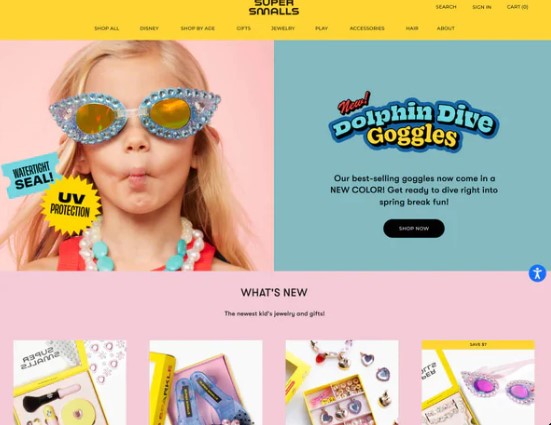
The templates do the heavy lifting. Each one is professionally designed to turn visitors into customers, works automatically on phones and tablets, and can be customised without touching code.
Training: Shopify offers beginner-friendly courses, simple admin training, Help Center guides, easy YouTube tutorials, and optional skill tracks. These help you build confidence as you learn.
4. Features That Make a Difference
A few things set Shopify apart from the rest:
Abandoned cart recovery: If a customer adds items to their cart but doesn’t check out, Shopify automatically sends them a reminder. This single feature recovers a significant amount of lost sales with zero extra effort.
Inventory on autopilot: Stock levels are tracked automatically. When you sell out, products disappear from your store. When you restock, they reappear.
Sell everywhere from one dashboard: List on Instagram, Facebook, Amazon, and Google Shopping – all syncing automatically with your Shopify store.
5. What Kind of Business Can I Run?
Shopify works for almost any model. If you’re new and unsure where to start, here are three options. The first two you can work from anywhere:
a) Print-on-demand is the lowest-risk option – you sell custom products like t-shirts or mugs with your designs. The supplier (like Printful or Printify) prints and ships them for you. You never actually handle the stock!
b) Dropshipping suppliers ship directly to your customers. You add products to your store with one click, and the orders sync automatically to your suppliers. Again, no need to touch the stock.
c) You can sell products you make or source yourself. Shopify’s inventory system handles wholesale orders and manages your logistics as you grow.
Many successful stores combine more than one approach.
6. Will People Find My Store?
Shopify handles the technical side of Google and Bing rankings automatically:
- Fast page loading (otherwise customers leave!)
- Mobile optimisation (looks good on any device)
- Clean URLs (clear, search-friendly web addresses)
- Security certificates (shows visitors your site is secure and trustworthy)
Creating Content: Your job is to write good product descriptions and page titles – Shopify even guides you on what to write.
You can also utilize AI for this task! Copy this prompt and feel free to make it your own:
Write a compelling product description for [PRODUCT NAME]. Make it emotional, benefit‑driven, and easy to read. Tailor it specifically to [TARGET AUDIENCE]. Highlight why it solves their problems, how it improves their life, and what makes it better than alternatives. Include a short hook, key benefits in bullet points, and a persuasive closing call‑to‑action.
But here’s the important part: people won’t just magically find your store.
Marketing is a critical part of running any ecommerce business, and it’s completely normal to feel nervous about it at first – many beginners do.
Shopify even acknowledges that marketing can feel confusing or overwhelming, which is why they provide a step‑by‑step guide to building a marketing plan and choosing the right tactics.
7. How Can I Promote My Shopify Site?
To get real traffic, you need to actively promote your store through things like:
a) SEO and content marketing to attract organic traffic over time. (like blog posts, videos, or guides that bring in the right shoppers who will love your products).
b) Social media to build awareness and reach your target audience. (pins, posts, reels, etc).
c) Email marketing, which has one of the highest returns on investment of all channels. (see my post on the benefits of MailerLite).
d) Paid ads (Google, Facebook, Instagram) when you’re ready to grow faster – these give you immediate visibility rather than waiting for organic traffic to build.
Think of marketing as turning the lights on so people can actually see your beautiful store!
With a simple marketing plan and the tools Shopify provides, you’ll build confidence and momentum quicker than you might expect.
8. What About Customer Support When I’m Stuck?
Shopify offers 24/7 help, including:
- Live chat and email support
- Phone support (on paid plans)
- Video tutorials
- Community forums
- A huge Help Center
As a beginner, you’ll definitely have questions – and Shopify makes it easy to get answers fast, whether you prefer reading, watching, or talking to a real person.
9. Is Shopify Worth the Investment?
Yes, Shopify costs more than some alternatives, but what you get in return is significant:
professional templates designed to convert browsers into buyers, automation that saves hours every week, reliable uptime, and a platform that can scale from your first sale to millions in revenue.
Once you’re making regular sales, compare your plan cost to what you’re earning. For most sellers, it represents a very small fraction of their revenue.
Shopify Review for Beginners – Your Next Step
Starting an online store isn’t as complicated as it seems. Shopify’s free trial means zero risk – you can explore the platform, add a few products, and see how it feels.
You might be surprised how quickly your thought of ‘I have no idea what I’m doing’ becomes ‘I’m running an online store!’